Now in TestFlight beta for macOS

Capture it. Share the link
before you let go.

Screenshoter snaps screenshots and screen recordings, then copies a ready-to-paste link to your clipboard the instant you capture. Host it your way — managed cloud, fully local, or your own server.

Coming to the Mac App Store · macOS 13+

Screenshoter
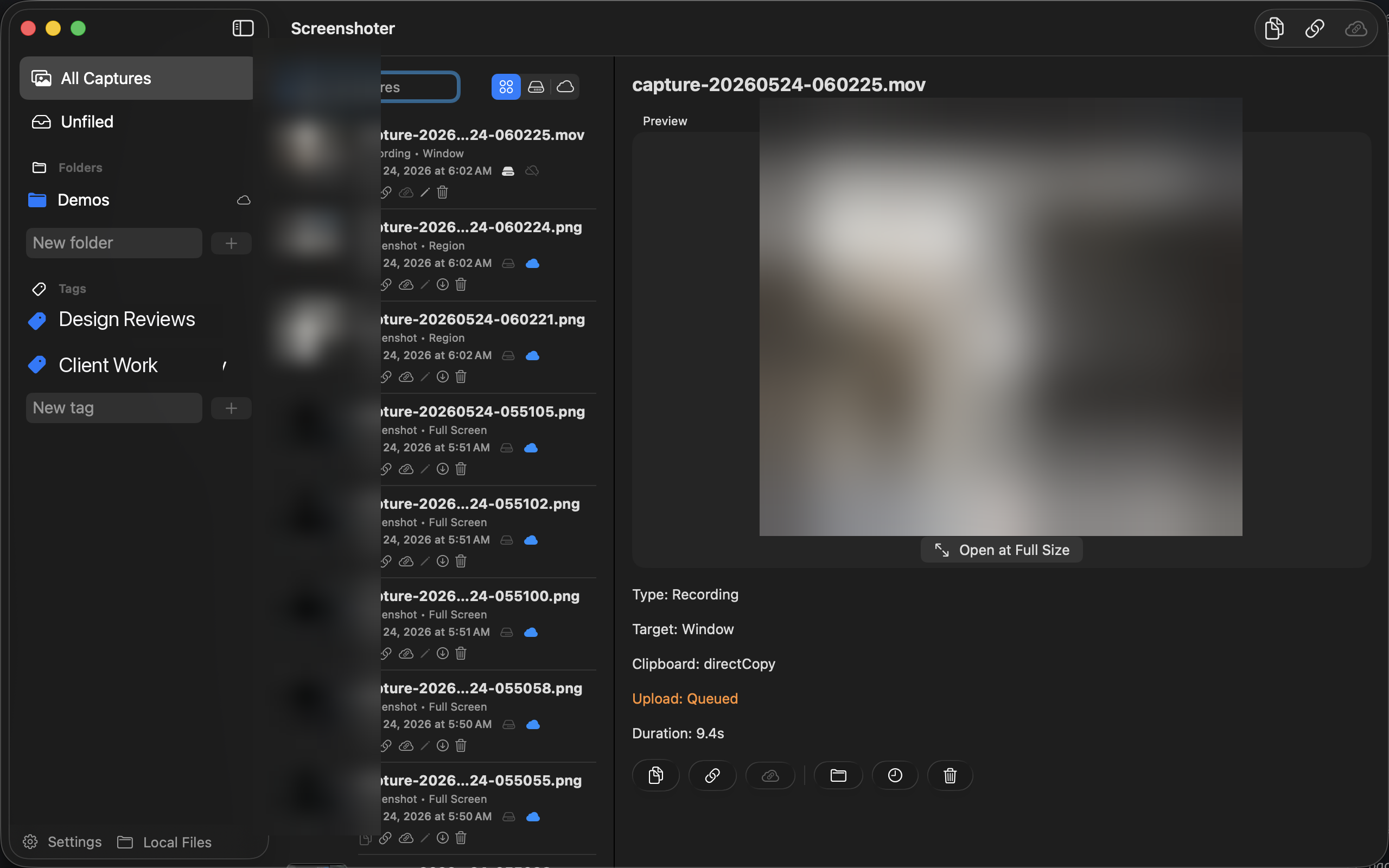
The Screenshoter library window showing the capture history, folders and tags sidebar, a recording preview, and capture metadata.

Everything a capture needs — in one menu-bar app.

The whole point

A link in your clipboard the moment you let go of the mouse.

Press your shortcut, drag a region — and Screenshoter uploads, generates a shareable URL, and copies it for you. No drag-and-drop into a chat, no "let me find that file." Just paste.

  • Screenshots and screen recordings, side by side in one library
  • Region, window, or full-screen — with or without the cursor
  • A searchable history with folders and tags to keep it tidy
  • Lives in the menu bar; show or hide the Dock icon
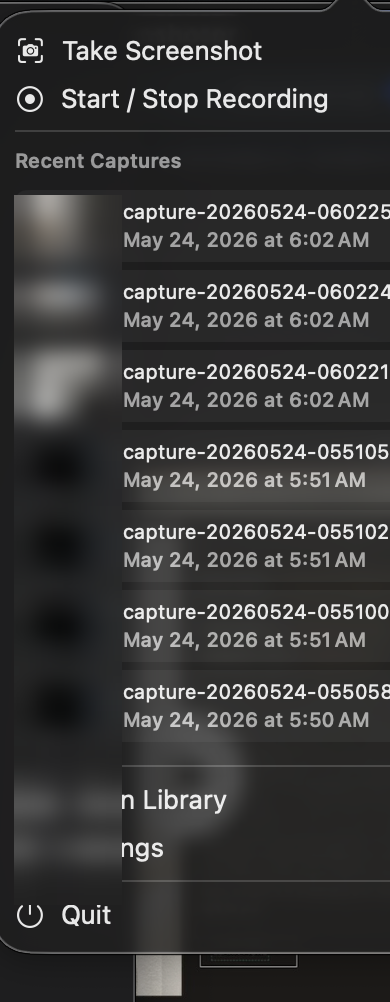
The Screenshoter menu-bar popover with Take Screenshot, Start / Stop Recording, a list of recent captures, and quick access to the library and settings.
Flexible by design

Your captures, hosted your way.

Pick the model that fits how you work — and switch anytime. No lock-in, no surprise subscription.

Cloudflare Hosted

$0.10 / GB stored · month

Managed cloud storage on Cloudflare. Instant links, no infrastructure, prepaid from $0.99 — and no monthly subscription. You only pay for what you keep.

Recommended default

Local Only

Free forever

Everything stays on your Mac — nothing is uploaded. Sharing copies a link to the file on your machine, perfect for your own network. Add a secure tunnel for public links.

Zero cloud · full privacy

Self-Hosted

Bring your own

For developers: run your own Cloudflare Worker — or any compatible endpoint — and point the app at it. A documented HTTP contract keeps you in control of every byte.

Own your endpoint
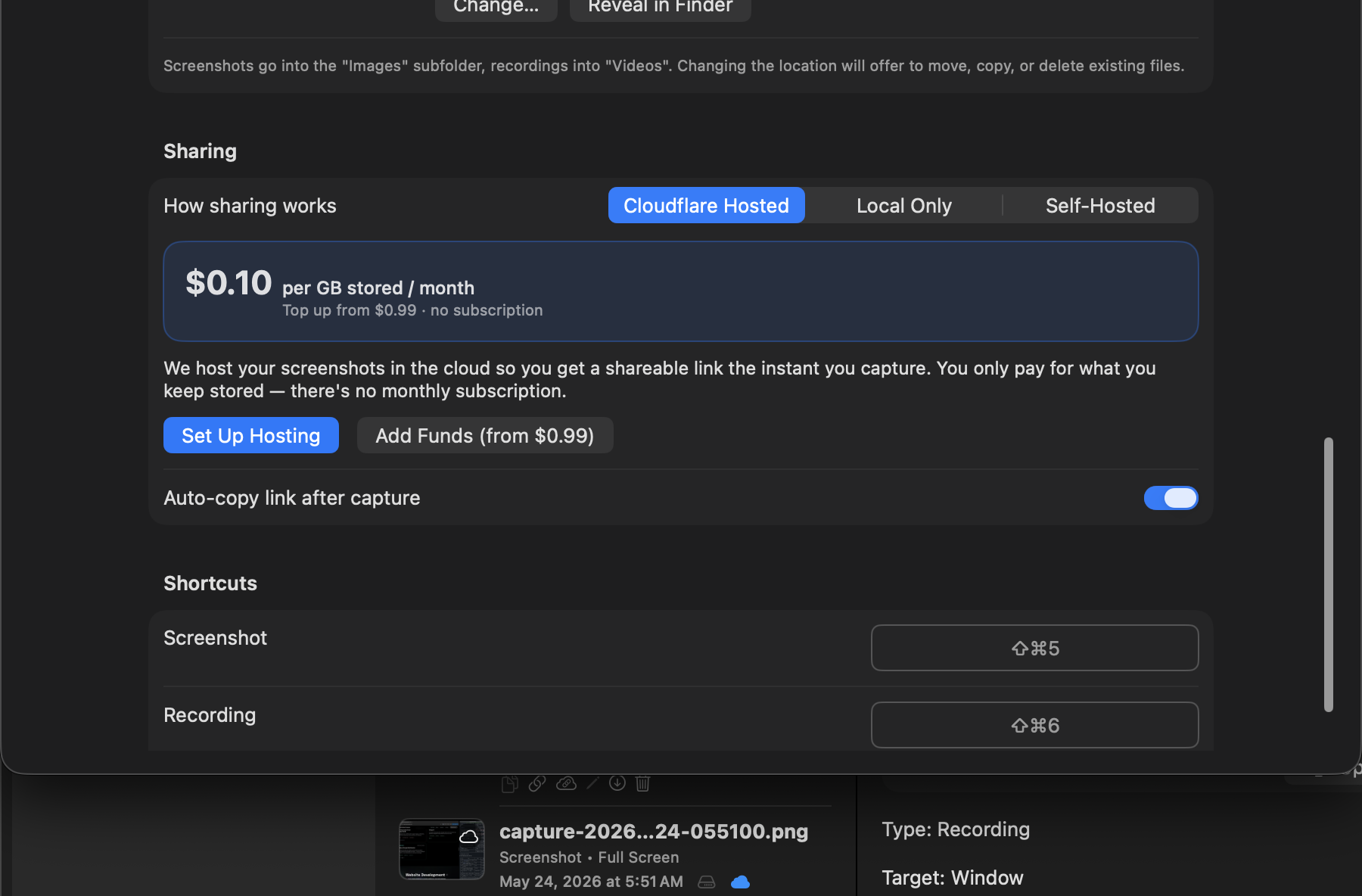
Settings — Cloudflare Hosted
Screenshoter settings showing the Cloudflare Hosted sharing mode with the $0.10 per GB price card, Set Up Hosting and Add Funds buttons.
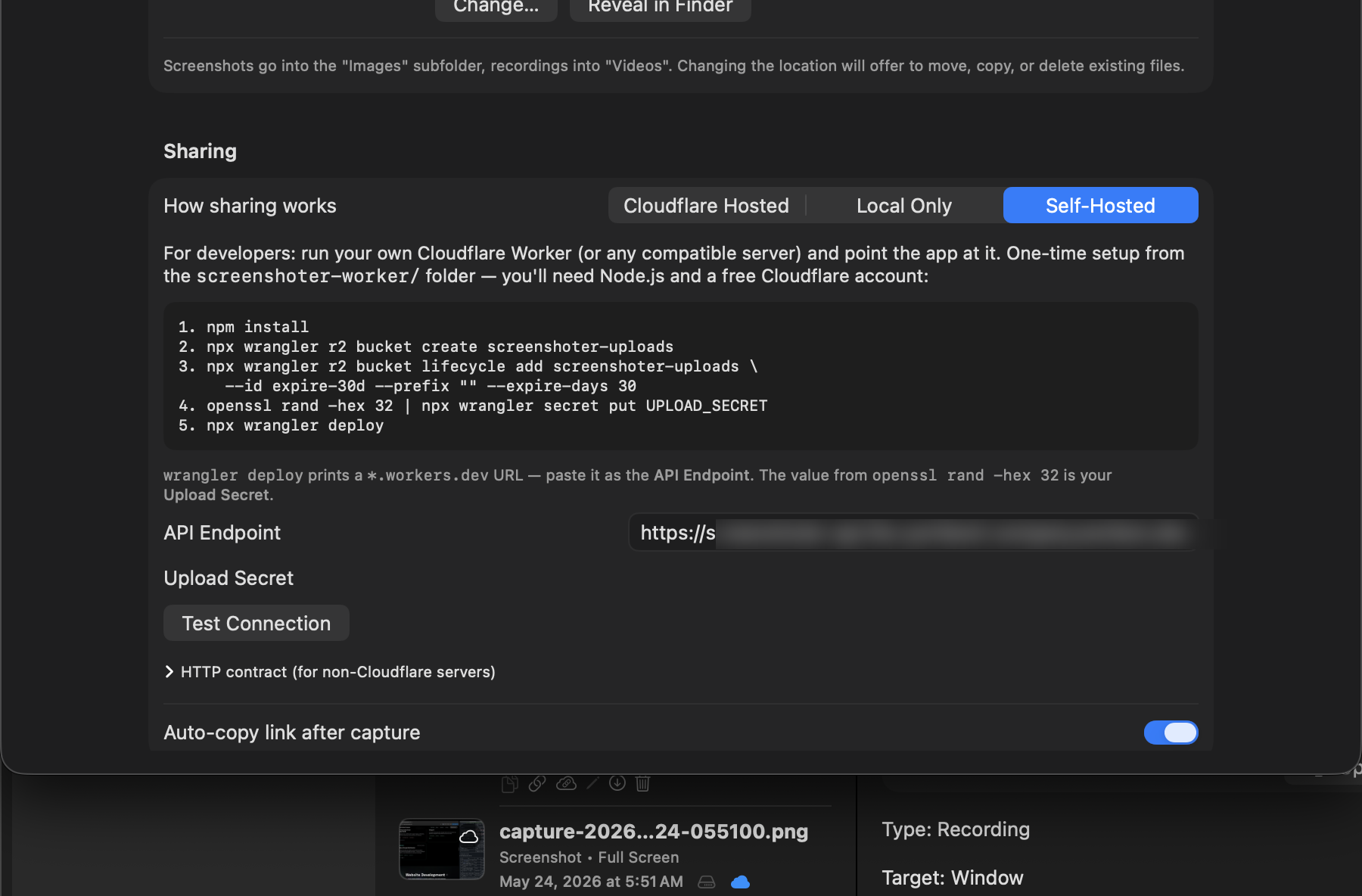
Settings — Self-Hosted
Screenshoter settings showing the Self-Hosted developer mode with Cloudflare Worker setup steps, API endpoint and upload secret fields, and a Test Connection button.
Local, but shareable

Secure tunnels turn a local file into a public HTTPS link.

Choose Local Only and your files never leave your Mac — until you want them to. A built-in tunnel (Cloudflare Quick Tunnel or ngrok) exposes a single, encrypted link anyone can open. It runs quietly in the background while Screenshoter is open.
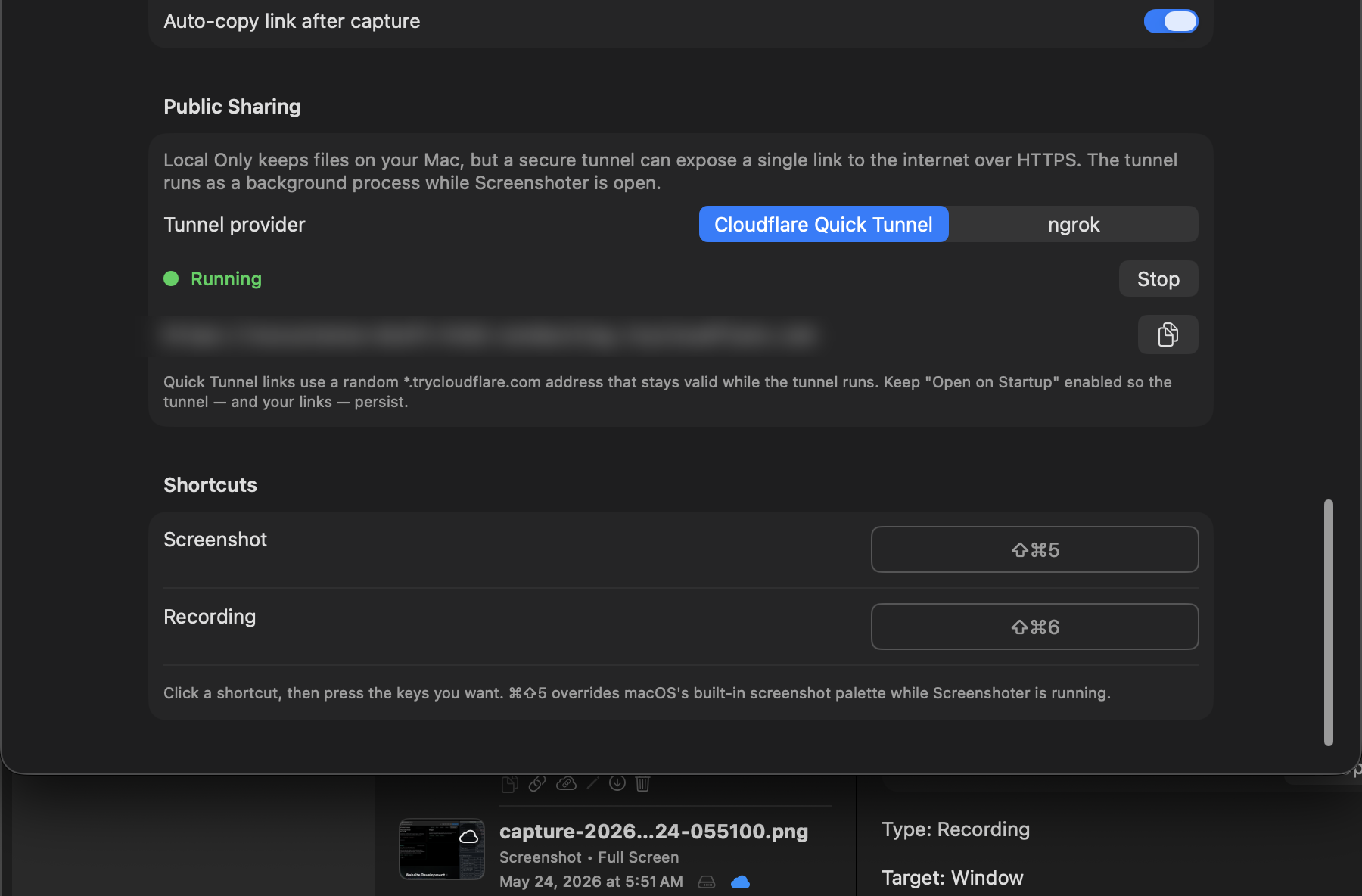
  • One-tick HTTPS link backed by your own machine
  • Cloudflare Quick Tunnel is free with no account
  • A consent sheet installs the tunnel tool — only after you approve
  • Live status so you always know when sharing is on
Public Sharing
Screenshoter Public Sharing settings showing a running secure tunnel with a live public URL, provider picker, and the screenshot and recording keyboard shortcuts.
Stay in control

Set things to expire — and reclaim disk space — automatically.

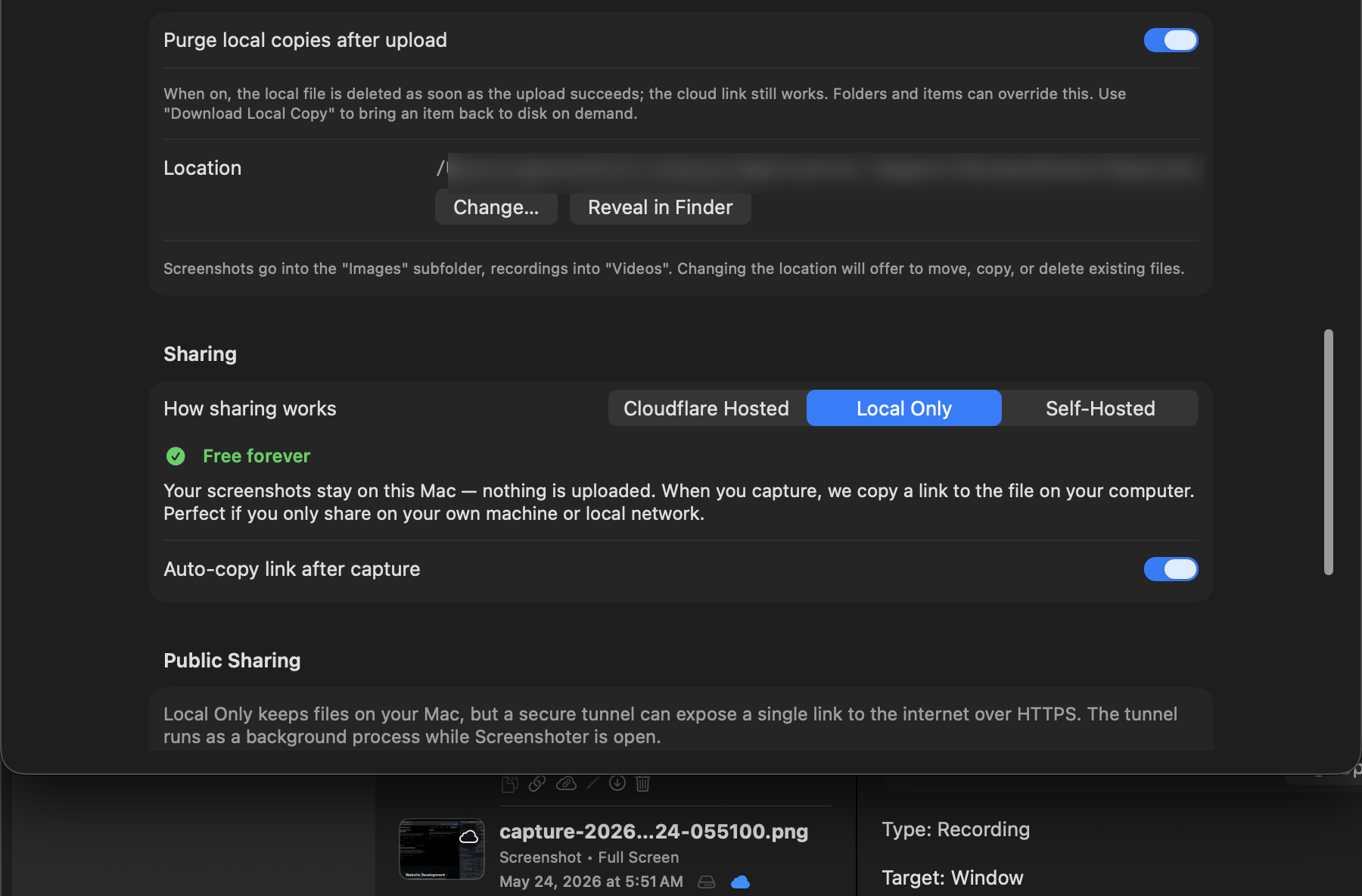
Give photos and videos their own expiration windows. Let cloud links keep working while local copies are purged from your Mac, then pull any item back on demand. Defaults apply everywhere; folders and individual captures can override them.
  • Separate expiration for cloud copies and local copies
  • Purge local files right after a successful upload
  • Per-folder and per-item overrides
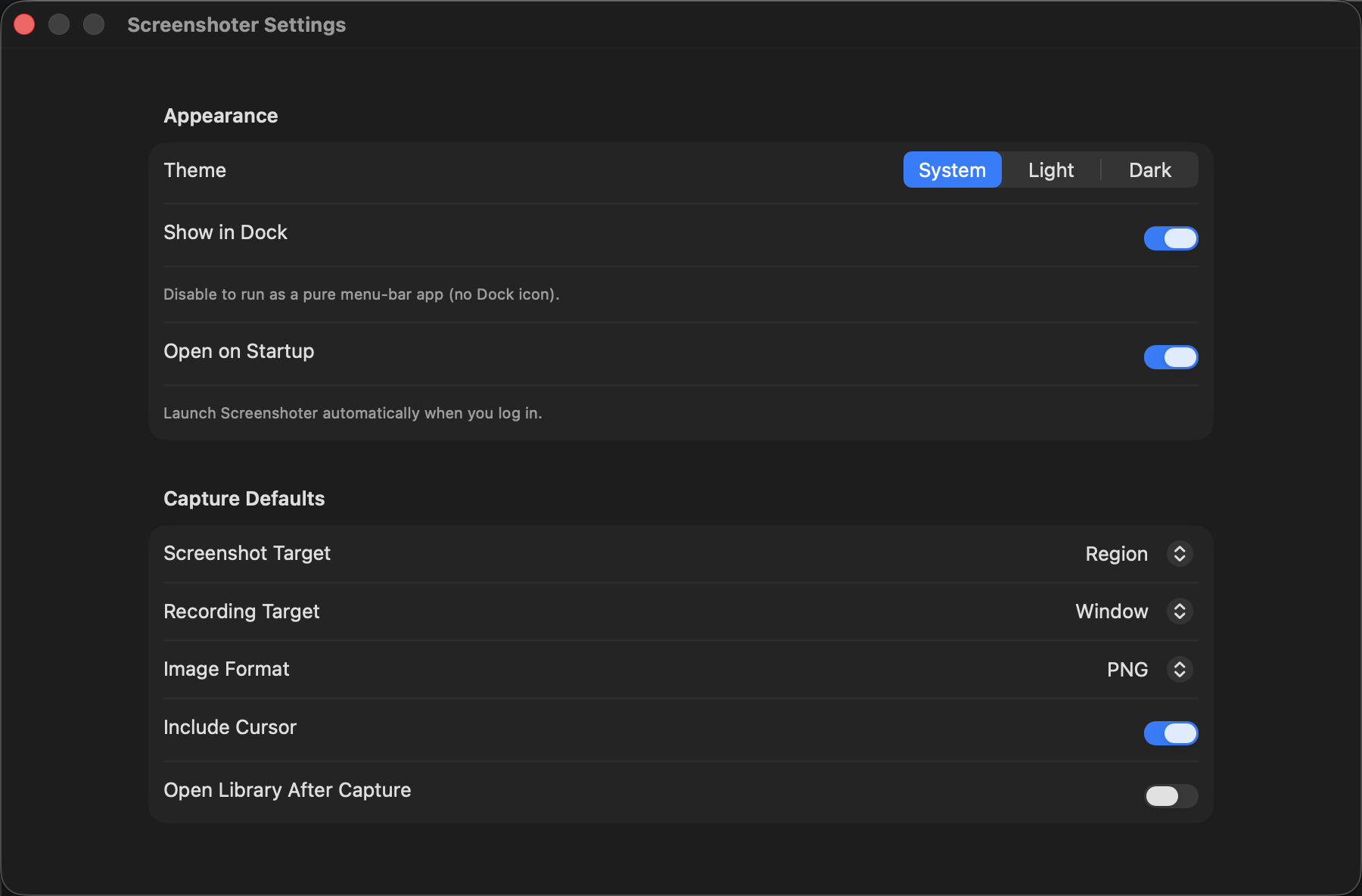
  • Pick your capture defaults: target, format, cursor, and theme
Settings — Storage & Expiration
Screenshoter settings showing local storage controls including purge-after-upload, storage location, and the sharing mode picker set to Local Only.
Settings — General
Screenshoter general settings with theme picker (System / Light / Dark), Show in Dock, Open on Startup, and capture defaults for screenshot target, recording target, image format and cursor.

Built for macOS, end to end

A native menu-bar app that overrides ⌘⇧5, respects your system theme, and stays out of the way until you need it.

PNG · JPEG

Choose your format and quality.

.mov

Record windows or the full screen.

Folders + Tags

Organize a growing library fast.

No subscription

Prepay only for cloud storage you actually keep — or stay free forever, locally.

Join the Screenshoter beta.

Be among the first to capture, link, and share at the speed of a keystroke. Drop your email and we'll send your TestFlight invite the moment a slot opens.

TestFlight beta · Coming to the Mac App Store. No spam, ever.